Embeddable Views
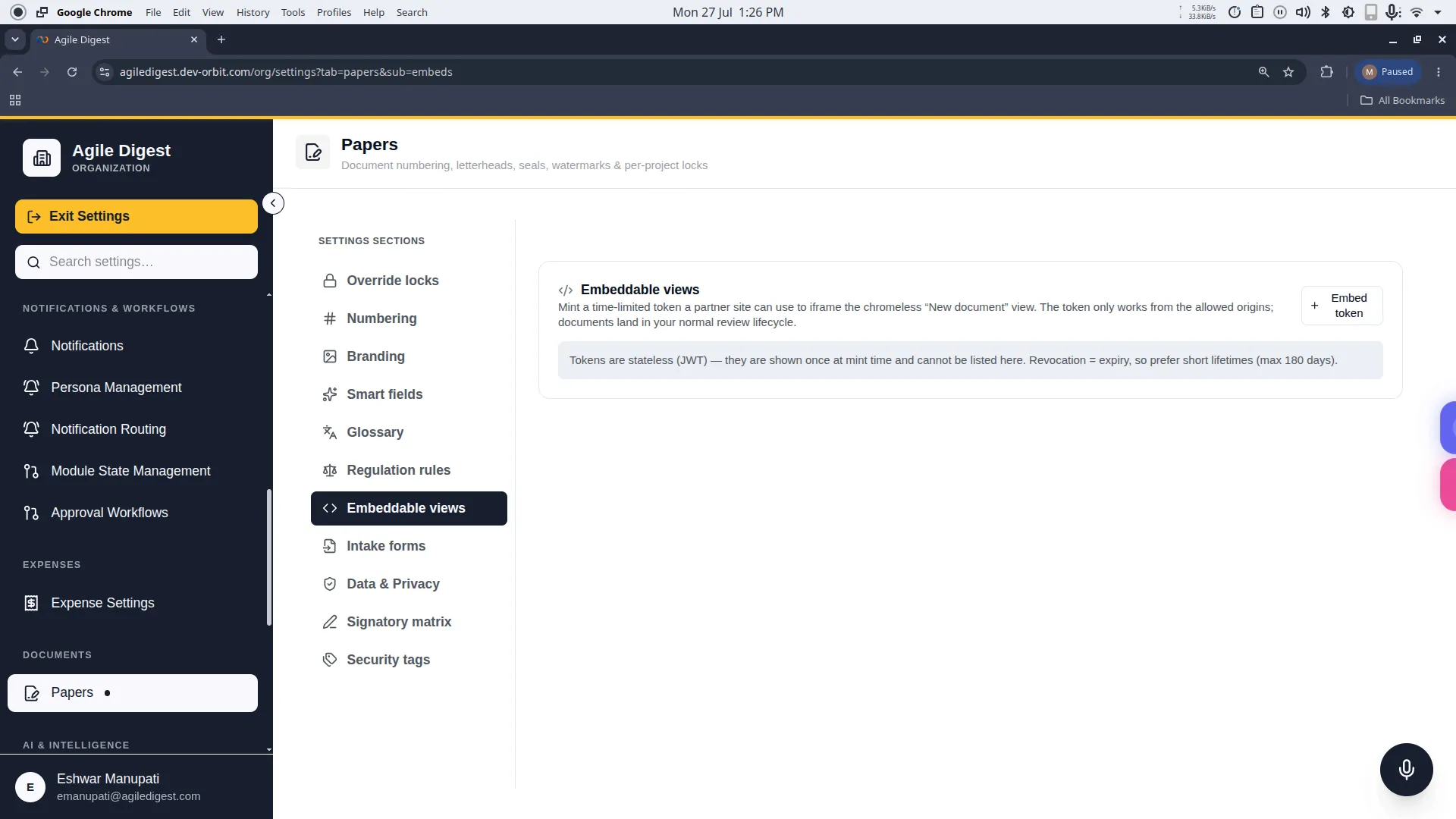
Welcome to the Embeddable Views guide.
Deep Dive: What is this for?
Embeddable Views are designed for developer teams and external integrations. If you have an external portal—like a partner website or a custom client dashboard—and you want your users to be able to create new Orbit documents directly from that external site without logging into Orbit, this feature is for you.
By minting an Embed Token, you generate a highly secure snippet of code. Your developers can place this code on your partner's website. It renders a clean, "chromeless" (no navigation menus) version of the Orbit "New Document" screen inside an iframe. When a user submits a document through this iframe on the partner site, the document securely and instantly lands in your internal Orbit review lifecycle.
How to Access
To manage these settings, navigate to: Settings → Papers → Embeddable views (or click the Embeddable views tab in the Papers settings rail).
Minting a New Token
To generate a new embed code, click the + Embed token button to open the minting drawer.
1. Security Settings
- Allowed Origins (frame_ancestors): For security, you must whitelist exactly which websites are allowed to embed your form. Enter one full origin per line (e.g.,
https://partner.example.com). If a malicious site attempts to use your token, the browser will automatically block the iframe. - Expiry (Days): Tokens are time-limited. You can set a token to expire anywhere from 1 to 180 days.
- Best Practice: Because tokens are stateless, revocation equals expiry. We strongly recommend keeping lifespans short (e.g., 30 days) and rotating them regularly with your partners.
2. Document Scope
- Organization vs Project: If you select a specific project, any document created via this iframe will automatically be filed inside that project. If left as 'Whole organization', the document will be created at the organization root level.
Copying the Token (One-Time Reveal)
[!CAUTION] Stateless Security Warning
Orbit uses stateless JWTs (JSON Web Tokens) for embeds. This means the Orbit database does not store your token, and it is only shown to you exactly once immediately after you click Mint. If you close the window before copying the snippet, the token is gone forever and you must mint a new one.
When you click Mint, a success screen will appear:
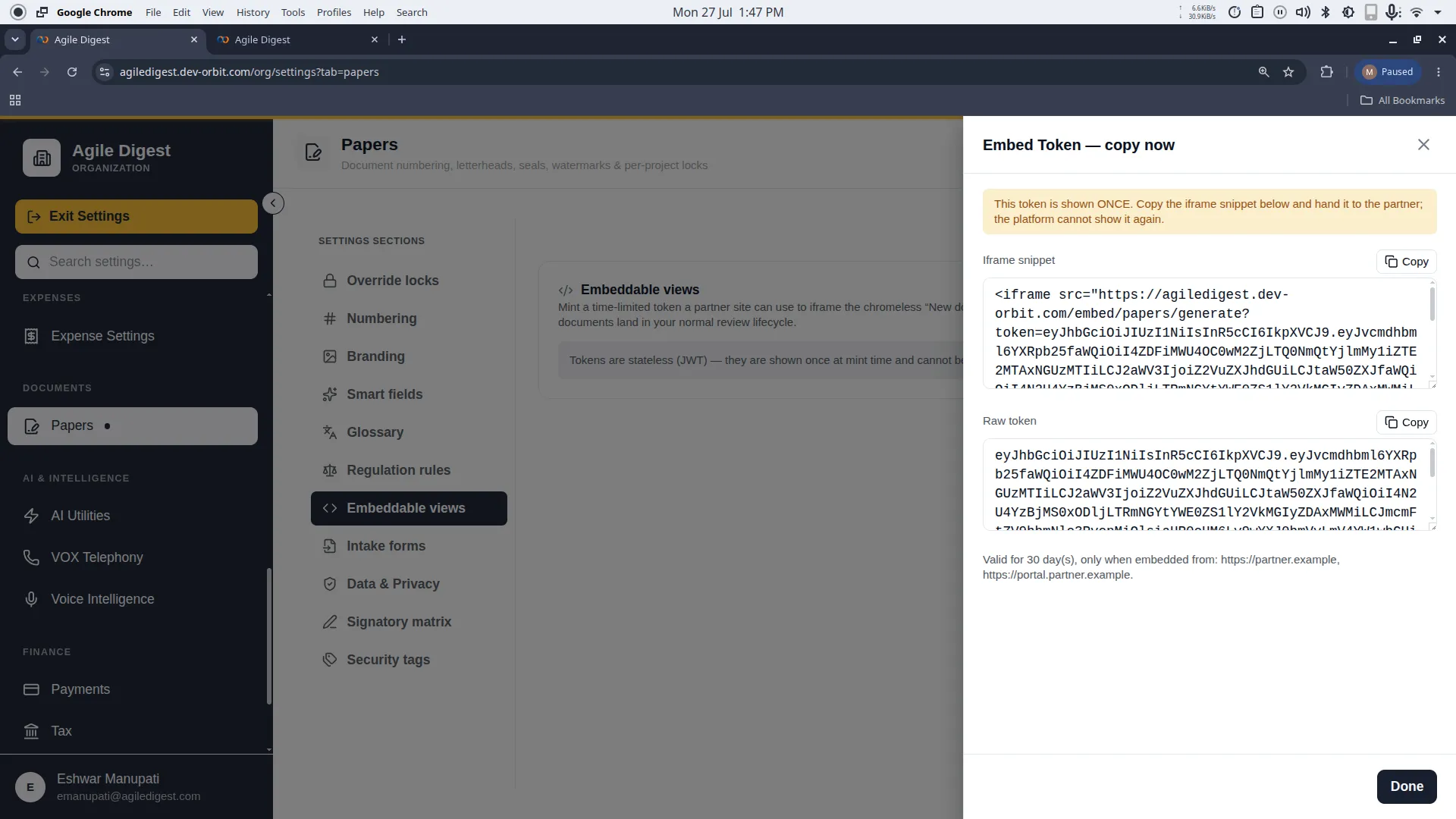
- Iframe Snippet: This is the easiest option. Click the copy button to copy the ready-to-use HTML
<iframe src="...">tag and hand it directly to your developers or partners. - Raw Token: If your developers are building a custom integration and only need the JWT string, they can copy the raw token here.
Once you close this drawer, there is no "list" of tokens to view. The token simply exists in the wild and will seamlessly expire on the date you set.